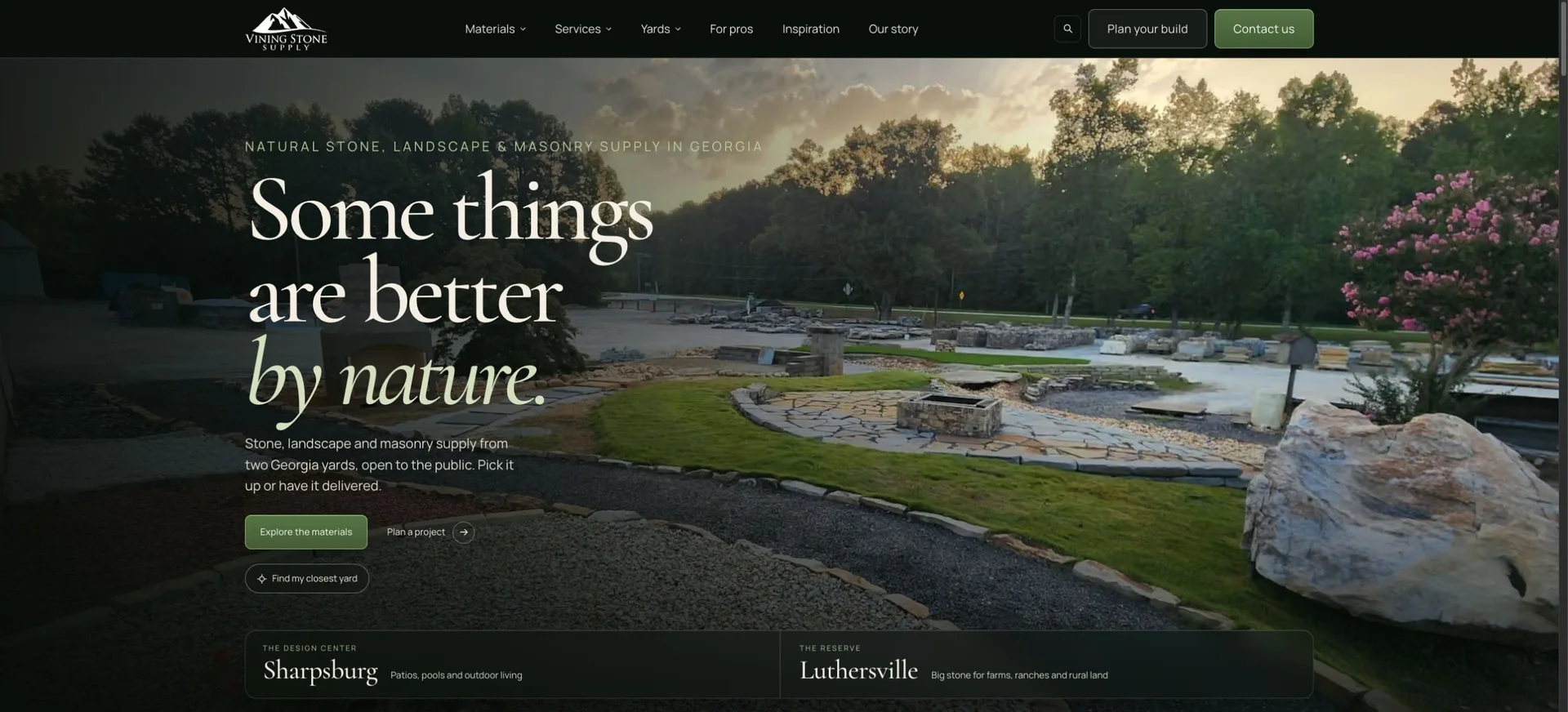
Make the choices visible
Expose the major material, service and yard routes on desktop. Give visitors a choice between exploring materials, preparing a plan and contacting the team.
Vining Stone Supply
A custom website rebuild connecting the material you imagine, the yard you visit and the project you bring to the team.
01The starting point
One stone supplier.
Two distinct yards.
Vining Stone supplies natural stone, landscape materials and masonry supplies from two Georgia yards. Its website has to serve a homeowner considering a patio, a contractor comparing materials and a landowner planning a larger rural project.
The existing site already held useful product information, photographs, location pages and articles. Its homepage opened with a large landscape photograph, a collapsed navigation menu and a broad invitation to contact a stone expert. The rebuild gave that material a more connected structure.
We organized the work around the decisions a customer needs to make: which material to explore, which yard to visit, what quantity to discuss and how to get the material to the project.
02Built around the business
The visual direction and the customer journey developed together. A shared dark palette, warm typography and restrained olive actions connect the pages; photography and language give each yard its own emphasis.
Expose the major material, service and yard routes on desktop. Give visitors a choice between exploring materials, preparing a plan and contacting the team.
Introduce Sharpsburg’s Design Center through residential outdoor living and Luthersville’s Reserve through larger stone and rural-property projects, within one recognizable brand.
Connect browsing to a useful material list, quantity estimates, pickup or delivery preferences and project notes that a customer can bring to the yard.
The customer path
The website supports the next useful decision at each stage, whether a customer is still comparing materials or preparing a specific request.
Use material photographs, project inspiration and category pages to identify a starting point.
Compare the Design Center and the Reserve, with direct access to both locations and their contact details.
Save material choices, estimate loose volume where appropriate and add project notes and pickup or delivery preferences.
Bring or print the plan. The yard confirms material suitability, quantities, availability and pricing; a request is not a confirmed order.
03From strategy to something real
The redesign carries the same care through the homepage, material catalogue, yard pages, delivery information, contact and planning tools. Custom search reporting and consent-aware analytics connect those experiences to useful feedback for the team. The comparisons below show the original website alongside the redesign.
The new homepage introduces material exploration, project planning and both yards early. Visible desktop routes cover Materials, Services, Yards, For pros, Inspiration and Our story. Visitors can enter through the task that fits their readiness.
Sharpsburg’s Design Center emphasizes patios, gardens, pools and residential outdoor living. Luthersville’s Reserve uses the property’s barn imagery and a more expansive composition to introduce substantial stone for farms, ranches and rural properties. Shared navigation and tools keep the experiences connected.
Category and product pages combine photography, concise explanations, supplier brands and related links. They connect an idea for a finished space with materials a customer can compare at the yard, while retaining useful detail from the original catalogue.
A searchable catalogue connects to a saved material list, quantity fields, yard choice, pickup or delivery preferences, notes and print output. The loose-volume calculator makes its assumptions visible. In the example shown here, a 12-by-10-foot area at 3 inches deep produces a rounded-up estimate of 1.12 cubic yards. The yard still confirms the final quantity and price.
The site explains pickup, split-dump loads, mixed loads and bulk bags alongside the materials and project-planning journey. Yard-specific contact paths help a visitor prepare the relevant logistical questions before speaking with staff.
The custom Next.js and React build uses shared templates and factual content records. A legacy URL inventory informs the retention of established product paths. The implementation connects article management, reviews, analytics and article-update handling through the existing NordaxOS services.
Site search connects to NordaxOS reporting, recording search phrases, result counts and selected pages for visitors who allow analytics. The team can compare popular searches, identify phrases that return nothing and review which pages visitors choose. Reporting also covers material-list use, calculator actions, yard choices, contact clicks and confirmed inquiry capture. These signals help the team prioritize clearer product names, better search matching, new guides and more useful routes through the website.
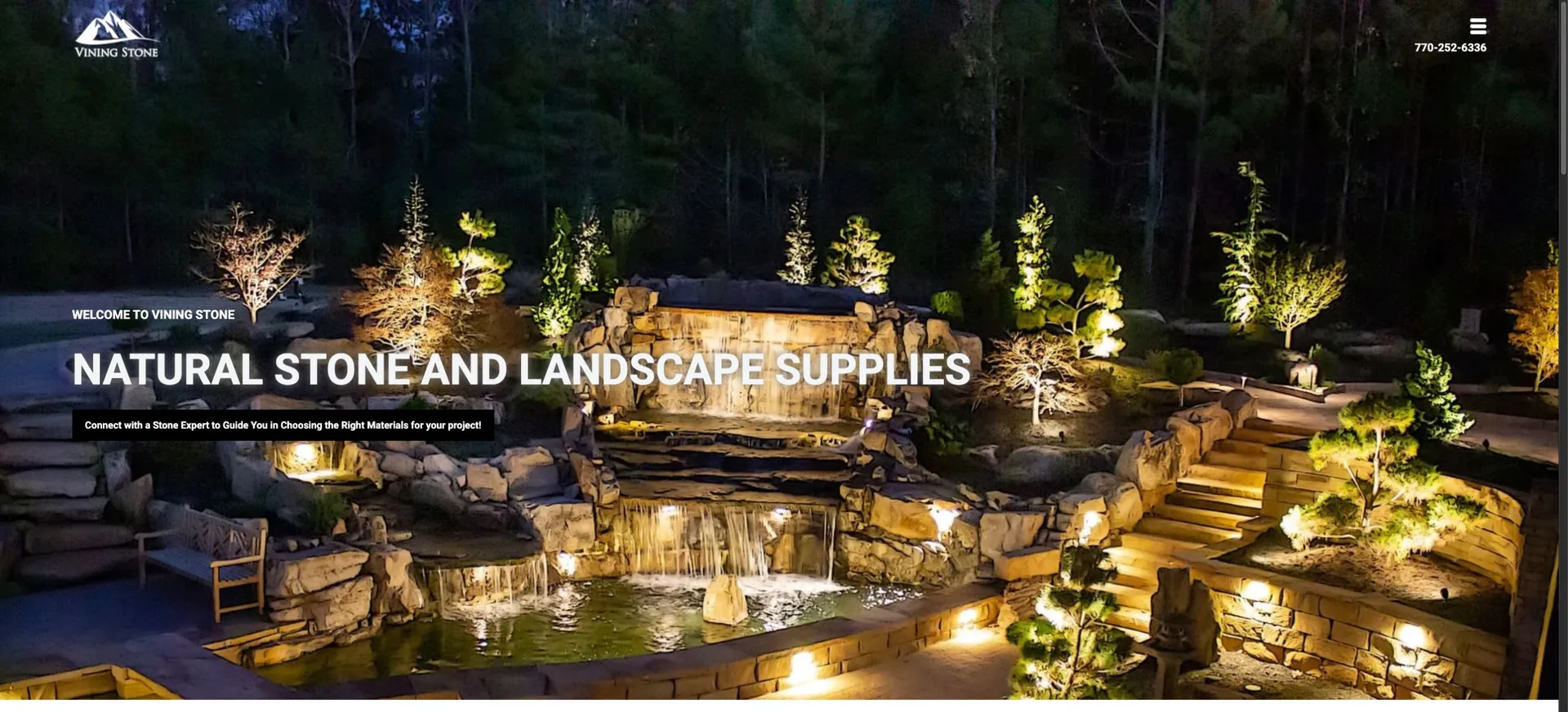
Original website and redesign, captured on November 9, 2026 at the same desktop viewport. Drag the handle to compare, or open the full images.
A closer look
04Desktop + mobile audits
The supplied Lighthouse audits compare the original website and the rebuild on desktop and mobile. The rebuild scored 100 in Performance, Accessibility, Best Practices and SEO in both captured runs.
| Audit | Desktop | Mobile |
|---|---|---|
| Performance | 95 → 100 | 71 → 100 |
| Accessibility | 91 → 100 | 91 → 100 |
| Best Practices | 92 → 100 | 92 → 100 |
| SEO | 85 → 100 | 85 → 100 |
| Agentic Browsing | 2/3 → 3/3 | 2/3 → 3/3 |
Agentic Browsing is shown separately from the four Lighthouse categories.
Supplied Lighthouse audit snapshots; results vary by run. The original mobile audit noted browser-extension interference.
View full-size audit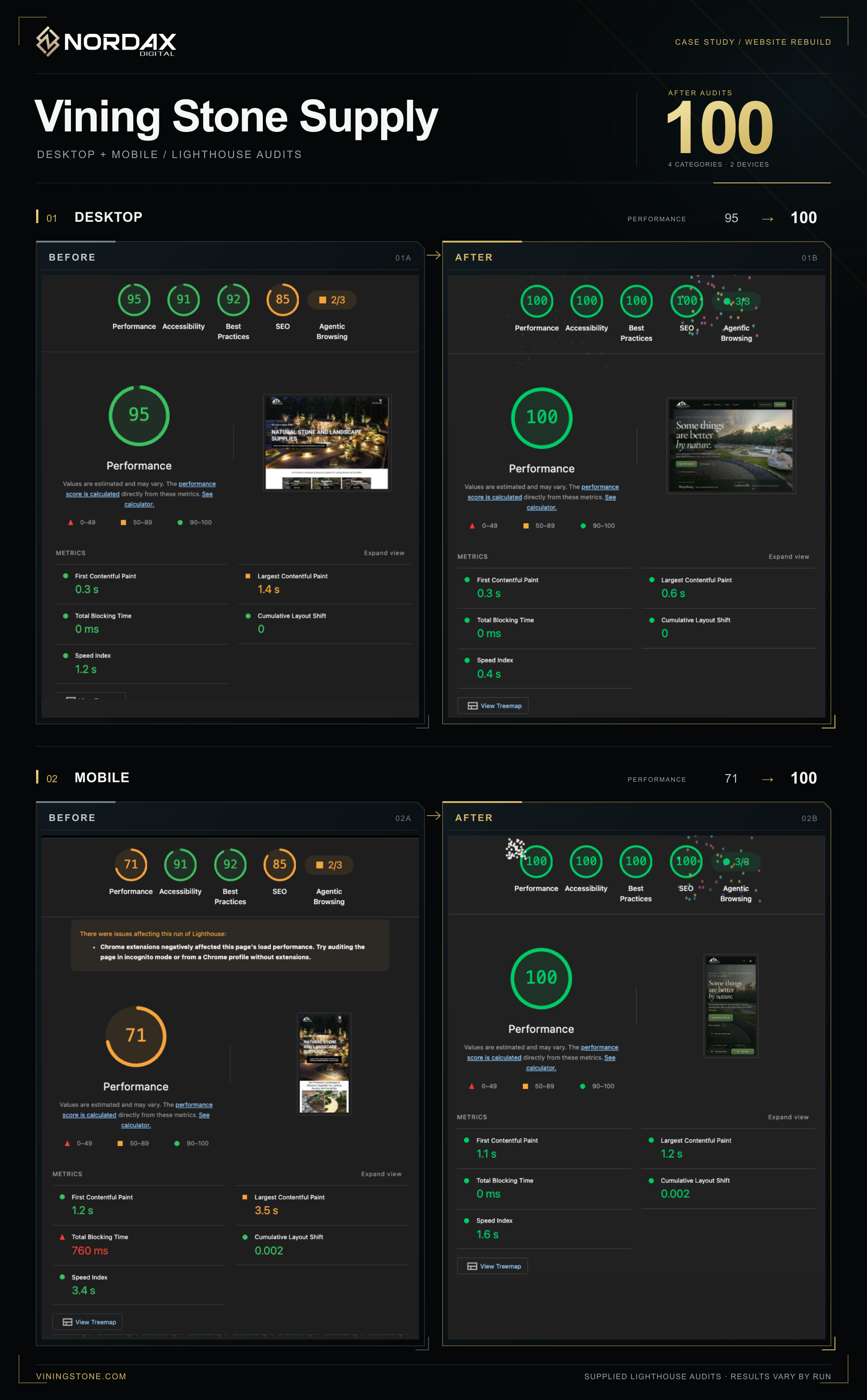
05What changed
The rebuild brings brand presentation, yard choice, material selection, planning and contact into one continuous experience. Customers can explore materials, understand the two yards and put a useful plan together before speaking with the team.
The design gives each yard a distinct identity without splitting the business into separate websites. Shared navigation, content and planning tools keep the practical parts of the experience consistent, from a first material idea to the next conversation at the yard.
The website also gives the team a way to learn from how it is used. Search phrases, searches with no results and customer actions provide a practical basis for improving product information, navigation and planning tools over time.
Behind the build
Explore the foundations, tools, and implementation behind this project.
Another perspective
Your business. Your next chapter.
Start with a conversation about where you are, what’s getting in the way, and what you want to build.