

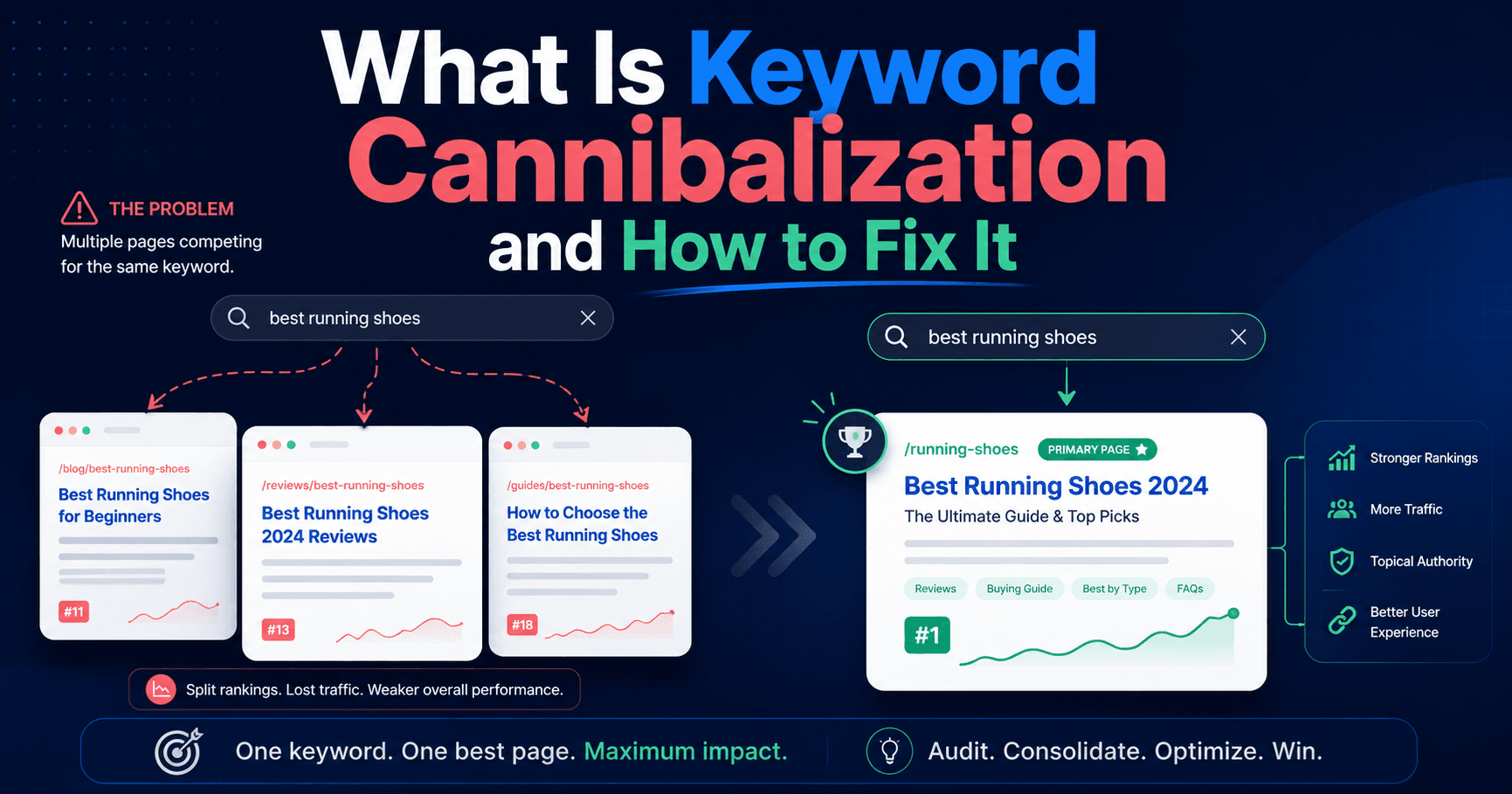
What keyword cannibalization is
Keyword cannibalization happens when two or more pages on your website target the same search term. Instead of one strong page ranking well, Google has to choose between multiple competing pages, and usually ranks none of them as high as a single consolidated page would rank.
The result: you split your own authority, confuse search engines about which page matters most, and leave ranking potential on the table.
A common example: A local web design agency has a service page titled "Web Design Services" and a blog post titled "What Does Web Design Include?" Both pages end up competing for the query "web design services", even though the blog post was never meant to rank for that term.
Why it happens
Cannibalization usually isn't caused by carelessness. It accumulates over time as a site grows:
- Old blog posts targeting terms that a newer service page now covers
- Location pages with overlapping copy (e.g., two pages both optimised for "SEO agency Georgia")
- Product or service variations that share almost identical descriptions
- FAQ pages that repeat language from main category pages
- Historical rewrites where the original URL was kept but the topic shifted
How to diagnose keyword cannibalization on your site
Step 1: Run a site-colon search for your target keyword
In Google, search: site:yourdomain.com "keyword phrase"
Replace keyword phrase with a term you're targeting. Google will return every page it has indexed containing that phrase. If more than one page appears for a high-priority keyword, you may have a cannibalization problem.
Example: site:nordaxdigital.com "web design Newnan", if this returns three pages, those three pages are competing with each other.
Step 2: Pull your Google Search Console data
- Open Google Search Console
- Go to Performance → Search results
- Click the Pages tab, then search for the URL you think should be ranking
- Click that URL to filter, you'll see which queries it's ranking for
- Switch to the Queries tab filtered to a target keyword and look at which URLs are appearing
If two URLs are both appearing for the same query on different dates, or both showing impressions, they're cannibalizing each other.
Step 3: Check for duplicate title tags and H1s
Use a crawl tool (Screaming Frog, Ahrefs Site Audit, or Sitechecker) to export all page titles and H1s. Sort alphabetically and look for near-duplicates. Pages with almost identical title tags almost always have a cannibalization problem.
Step 4: Map your pages to keywords
Create a simple spreadsheet with three columns:
| Page URL | Primary Keyword | Secondary Keywords |
|---|---|---|
| /solutions/web-systems | web design agency Georgia | custom website design, headless CMS agency |
| /newnan-ga | web design Newnan GA | digital agency Newnan, Newnan website design |
| /articles/what-does-web-design-include | what does web design include | web design process, website design steps |
If the same keyword appears in more than one row in the "Primary Keyword" column, you have confirmed cannibalization.
How to fix keyword cannibalization
The fix depends on which page is the right page to rank. You have four options:
Option 1: Consolidate (most common fix)
If two pages cover the same topic and neither is substantially different from the other, merge them into one stronger page. Move the best content from both into the page with the strongest backlink profile or the one Google is already showing more often. Then 301 redirect the weaker page to the consolidated one.
When to use this: Two blog posts covering the same topic. An old service page and a new one that replaced it but wasn't deleted.
Option 2: Differentiate
If both pages should exist but are accidentally overlapping, rewrite them so each has a clear, distinct primary keyword. Update the title tag, H1, meta description, and opening paragraph to signal the difference to Google.
When to use this: A "Web Design Services" page and a "Web Design Process" page that both keep drifting toward the same keyword because the copy is too similar.
Option 3: Add a canonical tag
If you need the page to remain accessible but don't want it to compete in search, add a rel="canonical" tag pointing to the page you want Google to index.
<link rel="canonical" href="https://yourdomain.com/the-page-that-should-rank" />
When to use this: Paginated content, parameter-based URLs (e.g., /products?color=blue pointing back to /products), or print versions of pages.
Option 4: Noindex the weaker page
If a page exists for functional reasons but has no SEO value, add a noindex meta tag so Google stops including it in its index.
<meta name="robots" content="noindex, follow" />
When to use this: Thank you pages, checkout confirmation pages, internal search results pages, filtered views.
How to prevent cannibalization going forward
Once you've cleaned up existing cannibalization, prevent new instances from forming:
Keep a keyword map. Before publishing anything new, check your spreadsheet. If the target keyword is already assigned to a live page, either update that page or choose a different keyword.
Review internal links. If multiple pages are linking to different URLs using the same anchor text for the same keyword, Google gets conflicting signals about which page matters. Pick one page per keyword and make that the link target.
Audit quarterly. Run the site-colon search and crawl export every three months. Cannibalization creeps back in as content teams grow and institutional memory fades.
Use consistent URL structures. Predictable URL patterns (
/solutions/,/articles/,/locations/) make it easier to spot when two pages are encroaching on the same topic.